Website Brief Template: How to Prepare Your Design and Development Project
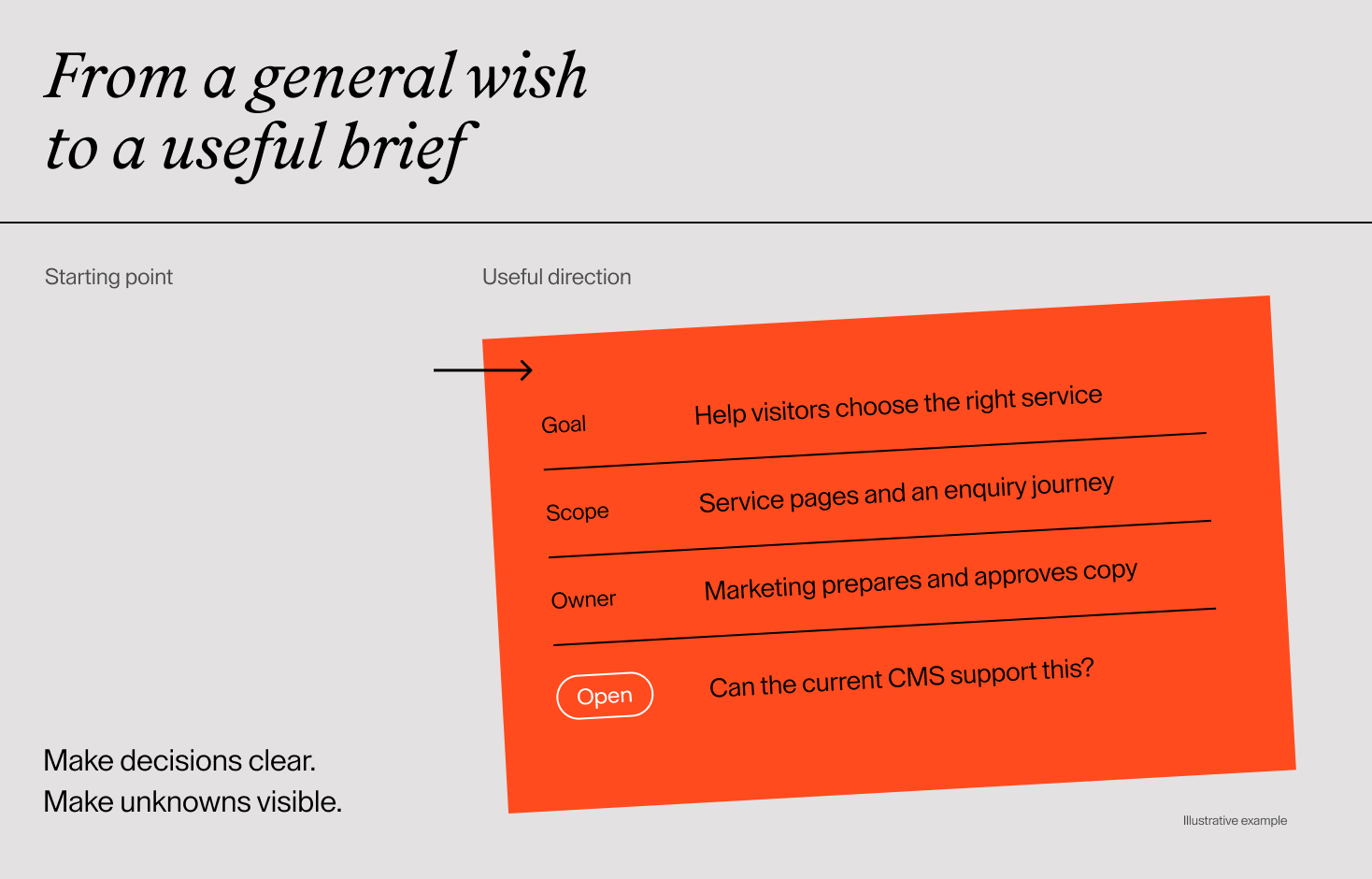
A useful website brief makes decisions and unknowns visible. Copy this template, follow the completed example and give your design partner a clearer starting point.

TL;DR
- Explain the business problem and what visitors need to do before listing features.
- Separate confirmed requirements from ideas and open questions.
- Include content, development and migration responsibilities alongside design.
- Be clear about budget constraints and whether a launch date is fixed or preferred.
- Use the same brief when requesting proposals, then compare their assumptions and inclusions.
You do not need to know every page, feature or technical detail before speaking to a design agency. But you do need a way to explain what you want to change and where you need help.
A website brief template gives that conversation a starting point. It brings together your goals, audience, content, functionality, responsibilities, timing and budget considerations so a potential partner can ask better questions and propose relevant work.
Below, you will find a template you can copy into a document and a completed example showing how the answers fit together. Unknowns are welcome. The useful part is making them visible.
What a website design brief should do
A brief helps your team and a potential partner understand the project in the same way. It should explain why the work matters, what is currently known and which decisions need further investigation.
It does not have to contain finished layouts or a technical solution for every requirement. Describing the task is often more useful than prescribing the tool. “Our sales team needs to receive an enquiry with the selected service” explains a need. “Add a plugin” leaves most of the important questions unanswered.
The brief also gives proposals a common reference point. One proposal may include copywriting and development while another covers design only. If those responsibilities are visible from the start, differences are easier to discuss.
Treat the brief as an input to scoping. The agreed proposal and project plan should confirm deliverables, exclusions, responsibilities and how changes will be handled.
How to write a website brief without having every answer
Gather what already exists: your current website, brand materials, customer questions, available performance data and a rough list of pages. Add references you like, with a sentence explaining what you find useful in each one.
Then label requirements as confirmed, proposed or open. For open items, record who will help resolve them and when the decision is needed. A blank field is easy to miss; an explicit question can become part of the plan.
Be particularly careful with content. In our project conversations, uncertainty often sits around who will write the text, when it will be ready and whether the existing material still fits. “We will reuse everything” is a starting assumption until someone reviews the actual pages and images.
You can start with short answers. Specificity matters more than length, especially around the outcome you want, the work you expect and the decisions you have not made yet.
Copy this website brief template
Copy the sections below into your working document. Replace the brackets with your answers. Keep any unanswered item and label it open, rather than guessing. Use “not applicable” where a section does not fit your project.
1. Project overview
- Company and current website: [Name, URL and a short description of what you do.]
- Project contact: [Who coordinates the brief and answers questions?]
- Reason for the project: [What has changed, or what is not working?]
- Type of work: [New site, targeted update or broader redesign; confirmed or open.]
2. Goals and success
- Primary outcome: [What should improve for the business and the visitor?]
- Other outcomes: [Secondary goals, in priority order.]
- Current evidence: [Customer feedback, research, analytics or internal observations; note any gaps.]
- How we will assess progress: [What will be measured or checked, by whom, and against which starting point?]
3. Audience and key tasks
- Primary audience: [Who is the site mainly for, and what situation brings them here?]
- Other audiences: [Who else needs a route through the site?]
- Key tasks: [What should each audience be able to find, understand or do?]
- Markets and languages: [What is required at launch, and what may follow later?]
4. Scope and page structure
- Requested services: [Discovery, branding, UX, visual design, copywriting, development, migration, training or support.]
- Draft sitemap: [Pages or sections, grouped where possible. Mark uncertain ones.]
- Launch essentials: [What must be included in the first release?]
- Later or excluded work: [What should not be assumed to be included?]
- Existing material to preserve: [Content, URLs, functions or assets that still matter.]
5. Content and responsibilities
- Existing content: [What can be kept, updated, merged or removed? Who will review it?]
- New material: [Copy, images, case studies, video, translations or downloads needed.]
- Preparation owner: [Who writes or supplies each type of material?]
- Approval owner and timing: [Who approves it, and when can it be ready?]
- Migration and entry: [Who moves, uploads, formats and checks the content?]
6. Functionality and technical needs
- Required functions: [Describe the user task, expected result and important exceptions.]
- Integrations: [Systems involved, information exchanged and the contact who can clarify requirements.]
- CMS and editing: [Current platform, what editors need to change and whether a platform decision is open.]
- Quality requirements: [Relevant devices, accessibility needs, performance expectations and how acceptance will be agreed.]
- Technical ownership: [Hosting, domain, maintenance and access owners. Do not put passwords in the brief.]
7. Brand and design direction
- Available brand materials: [Guidelines, logo files, typography, imagery and their status.]
- What should remain or change: [Include whether branding work is needed.]
- References: [Links with a specific explanation of what is useful in each.]
- Things to avoid: [Known constraints or directions that do not fit your audience.]
8. Timeline and decisions
- Target launch: [Date or window; fixed or preferred, with a reason.]
- Dependencies: [Content, branding, internal reviews, integration input or other work.]
- Feedback and approval: [Who gathers comments and who makes the final decision?]
- Open decisions: [Question, owner and the point by which it needs resolving.]
9. Budget and proposal expectations
- Budget position: [Approved amount or range, ceiling, or confirmation that a budget still needs to be established.]
- What it needs to cover: [Specify services and whether taxes, licences, hosting and ongoing support need separate treatment.]
- Flexibility: [What can change if the desired scope does not fit?]
- Proposal request: [Ask for inclusions, exclusions, assumptions, dependencies and separately identified options.]
10. Launch and ongoing ownership
- Acceptance and launch approval: [Who signs off the completed work and against which agreed checks?]
- Handover: [Training, documentation and access required.]
- After launch: [Who updates content, maintains the site and handles issues?]
- Review: [Who checks outcomes after launch and agrees on further improvements?]
Have a project in mind?
Let’s talk
A completed web design brief example
The following example describes a fictional B2B consultancy. It is not a Flair client project. Notice that a completed brief can still contain open decisions; the difference is that they have a clear owner and next step.
1. Project overview
Company and website: A fictional consultancy advising operations teams. It has an existing company website; the current URL would be supplied to the selected partners.
Project contact: Marketing lead.
Reason: The business has reorganised its offer into three services. The website still presents an older offering, and the sales team repeatedly explains the differences after enquiries arrive.
Type of work: Redesign of the marketing website. The extent of technical rebuilding is open until the current setup is reviewed.
2. Goals and success
Primary outcome: Help prospective clients choose a relevant service and send an enquiry with enough context for a useful first conversation.
Secondary outcome: Let marketing publish case studies without developer help for routine edits.
Current evidence: Sales-team observations and examples of unclear enquiries. No validated conversion baseline yet; marketing will check the existing tracking before goals are finalised.
Assessment: Before launch, representative prospective clients will be asked to find a suitable service and explain their choice. After launch, sales will review enquiry relevance using agreed criteria. Marketing will also test publishing a case study. The project team will agree the review period during planning.
3. Audience and key tasks
Primary audience: Operations leaders comparing external support for a defined business challenge.
Other audience: Procurement colleagues checking experience and company information.
Tasks: Understand service fit, review relevant work and contact the team. Procurement needs easy access to company details and contact information.
Markets and languages: English at launch. Additional languages are outside the first release.
4. Scope and page structure
Requested services: Discovery, information structure, UX and visual design, development, content entry and editor training. Marketing supplies the copy; the partner should flag gaps during design.
Draft sitemap: Home; Services overview with three service pages; Case studies listing with a reusable detail template; About; Contact; existing policy pages.
Launch essentials: Clear service comparison, case study publishing and a working enquiry journey on desktop and mobile.
Excluded: Rebranding, a client portal and additional languages. A CRM integration is a separate option, not a launch requirement.
Preserve: Relevant case-study content and useful existing URLs. The partner should identify changes that require a migration plan.
5. Content and responsibilities
Existing material: Marketing reviews all current copy and images, and marks each item to keep, update or remove. Reuse is not assumed before that review.
New material: Service descriptions, updated team information and case-study copy. Existing photography will be assessed for suitability; new photography would be separately scoped.
Preparation: Marketing writes copy and gathers images. Service leads supply factual input.
Approval and timing: The managing director approves positioning and service claims. A representative service page will be ready before its detailed layout is approved; remaining content dates will be agreed in the project plan.
Entry and checking: The partner uploads approved material; marketing verifies accuracy before launch.
6. Functionality and technical needs
Functions: Visitors select a service, provide contact details and explain their project. Successful submission shows a confirmation and sends the enquiry to the designated sales inbox. Error handling and delivery checks are included in acceptance criteria.
Integrations: Email delivery is required. Sales will confirm whether a future CRM connection needs additional fields; that work should be priced separately.
CMS: The current site uses WordPress. Keeping it is preferred if the review confirms it supports reusable service and case-study templates. Marketing needs to update text, images and case studies.
Quality: The team will agree supported environments, performance checks and an accessibility target during discovery. The partner should describe the review and testing included, rather than simply promise an accessible site.
Ownership: The company’s IT contact manages the domain and hosting access. The proposal should separate ongoing maintenance from project delivery.
7. Brand and design direction
Materials: Existing logo, colour palette and typography guidance are available. No identity redesign is requested.
Direction: Clear, confident and approachable. The main change is how services and experience are explained.
References: Marketing will attach annotated examples before visual exploration: one for service comparison and one for case-study storytelling. No specific reference sites have been selected yet.
Avoid: Decorative movement that distracts from service information, and layouts requiring an image for every short content block.
8. Timeline and decisions
Launch: Preferred before the next planned campaign. The campaign date is not yet confirmed; marketing will verify it before agreeing the schedule.
Dependencies: Service copy, director approval and the technical review of WordPress.
Feedback: Marketing consolidates comments. The managing director makes final decisions on scope and design.
Open decisions: The partner assesses the CMS during discovery; marketing confirms content dates during planning; sales confirms CRM requirements before that optional work is commissioned.
9. Budget and proposal expectations
Budget: No approved project budget yet. The managing director will set the spending limit after reviewing an initial scope discussion and before authorising delivery.
Coverage: The proposal should include the requested services and distinguish taxes, third-party fees and recurring maintenance. New photography and CRM work should be separate options.
Flexibility: Launch with the essential service and enquiry journeys; defer optional integrations if needed.
Proposal: State assumptions, exclusions, content dependencies and what discovery must resolve. If a reliable delivery estimate needs a technical review first, identify that step separately.
10. Launch and ongoing ownership
Approval: The managing director approves launch after marketing and the partner complete the agreed checks for content, key journeys, enquiry delivery and migration.
Handover: Marketing receives editor training and a short guide for routine updates. IT receives the relevant technical documentation and access handover.
After launch: Marketing owns content; the maintenance provider will be selected before launch. The proposal should explain any initial support period and what it covers.
Review: Marketing and sales review the agreed outcomes and maintain a prioritised list of follow-up improvements.
Before you send the brief
Read it once as someone outside your business. Would they understand your offer, the reason for the project and which work you expect them to provide?
Check for contradictions. If marketing is supplying copy, do not assume the design proposal includes writing it. If the launch date is fixed, explain what depends on it. If an integration is optional, keep it out of the launch essentials.
Send the same version to the partners you are comparing. Ask them to state their assumptions and flag missing information. When the scope changes, update the brief and share the revision so everyone is responding to the same project.
A useful brief does not remove every question. It makes the next conversation more productive.
If you are preparing a website project, share what you know and what is still open. We can help clarify the scope and the decisions needed to move it forward.
FAQ
How long should a website brief be?
Long enough to explain the project without burying the important decisions. Short answers are fine. Link to detailed inventories or background material rather than copying everything into the main document.
What if we do not know our budget?
Say so, explain your priorities and ask what information is needed to establish it. Decide who will approve the budget and when. Expect early estimates to depend on assumptions until the scope and constraints are clearer.
Do we need a finished sitemap?
No. A draft page list helps reveal the likely scope. Mark uncertain sections and explain the audience need behind them so structure can be refined during discovery.
Can the agency help write the brief?
Yes. Ask whether discovery or brief development is offered, what it includes and whether it is a separate piece of work. Bring the business context and nominate someone who can resolve internal questions.